Delete Your Account
CLIAnywhere App — Account Deletion Guide
Follow the steps below to permanently delete your CLIAnywhere account. The process is quick and can be completed directly within the app.
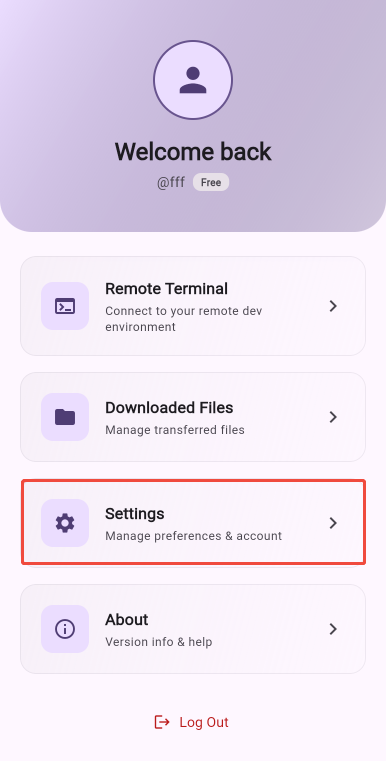
Open Settings
Launch the CLIAnywhere app and tap the Settings button to access your account preferences.
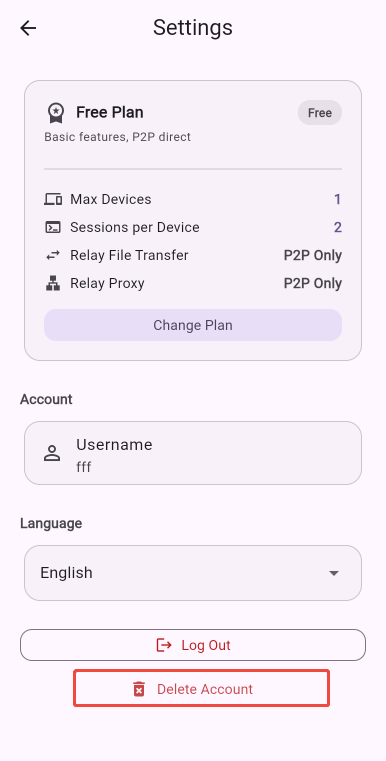
Tap "Delete Account"
In the Settings screen, scroll down and tap the Delete Account button to begin the deletion process.
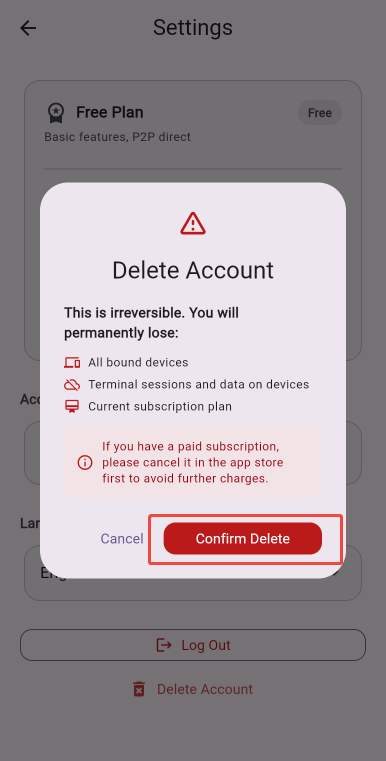
Confirm Deletion
A confirmation dialog will appear. Tap Confirm to proceed with deleting your account. This action cannot be undone.
What Happens When You Delete Your Account
Once your account is deleted, all user data and device data will be permanently removed. This includes your profile information, device bindings, preferences, and any other data associated with your account. No data will be retained after deletion.
Before You Delete: Cancel Your Subscription
If you have an active subscription, we recommend cancelling it in the App Store or Google Play Store before deleting your account. This ensures you won't be charged for future billing periods after your account is removed.